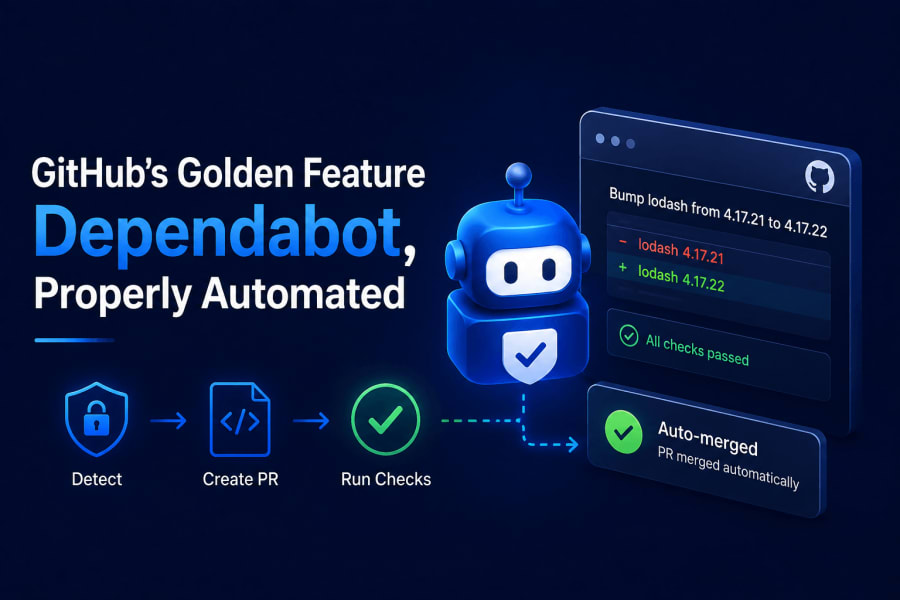
I ignored a security advisory email for about four months once. It sat in a folder I never opened, next to forty other GitHub notification emails I also never opened. The package in question had a known remote code execution bug. Nobody exploited it before I finally updated, but that was luck, not process.
After that I stopped relying on myself to notice these things and let GitHub do it instead. Dependabot has been sitting there, free, on every repo I own, this whole time. I just hadn’t turned it on properly.
What Dependabot actually is
Dependabot is GitHub’s built-in bot for keeping dependencies current, and it’s really two separate features wearing one name: security updates that patch known vulnerabilities, and version updates that bump packages to newer releases whether there’s a security issue or not. The first works by scanning your dependency manifests against a database of known vulnerabilities and opening a PR when one of your packages is affected. The second is just a scheduled check, opening PRs whenever a newer version exists, vulnerable or not.
Security updates work with zero configuration the moment you turn them on in repo settings. Version updates need a config file, because you have to tell it which ecosystems to watch and how often to check.
Turning on security updates
You turn on Dependabot security updates from your repo’s Settings, under Security and quality then Advanced Security, by flipping on a handful of toggles there, after that GitHub opens a PR automatically the moment one of your dependencies turns up with a known vulnerability. The first toggle on that page is Dependency graph, and it has to go on before anything else will work, every other Dependabot option there depends on it. Turn on Dependency graph, Dependabot alerts, and Dependabot security updates and GitHub starts opening PRs on its own whenever a CVE matches something in your package.json, requirements.txt, go.mod, whatever manifest files you have. No YAML required for this part.
Dependabot malware alerts is worth turning on separately, it flags packages GitHub has identified as outright malicious rather than just vulnerable, which is a different and honestly scarier category. There’s also a native “Grouped security updates” toggle right there in the UI, bundling security-fix PRs the same way the groups key does for version updates below. If you turn that on you don’t need to duplicate the logic in dependabot.yml, it only applies to security PRs anyway, version updates still need the config file.
Setting up version updates with dependabot.yml
Version updates need a config file that tells Dependabot which package ecosystems to watch, npm, GitHub Actions, pip, whatever your repo uses, and how often to check each one for new releases, unlike security updates, which work the moment you flip a toggle. Create .github/dependabot.yml in the repo root.
version: 2
updates:
  - package-ecosystem: "npm"
    directory: "/"
    schedule:
      interval: "weekly"
      day: "monday"
    open-pull-requests-limit: 10
    groups:
      dev-dependencies:
        dependency-type: "development"
      production-dependencies:
        dependency-type: "production"

  - package-ecosystem: "github-actions"
    directory: "/"
    schedule:
      interval: "weekly"
A couple of things in there are worth pointing out. The second block, package-ecosystem: "github-actions", is the one people forget entirely. Your workflow files pin action versions too (actions/checkout@v4), and those go stale the same way npm packages do. If you only configure npm, your CI actions quietly rot while your dependencies stay current.
The groups key is newer and genuinely useful. Without it, Dependabot opens one PR per outdated package, and on a repo with a few dozen dependencies that means a wall of PRs every Monday. Grouping bundles them by the rule you define, here it’s dev versus production, into a couple of PRs instead of twenty.
Checking it actually ran
You check whether Dependabot actually ran from the Insights tab, under Dependency graph then Dependabot, where you can also trigger a run manually instead of waiting on the schedule, since merging the config file alone doesn’t fire it off right away. There’s a “Check for updates” button per ecosystem that forces an immediate run, which is the fastest way to confirm your YAML is valid before waiting a week to find out it wasn’t.
If the config has a syntax error, GitHub tells you on that same page rather than failing silently. I got this wrong the first time, indentation issue under groups, and it just showed a red error banner instead of opening any PRs. Worth checking that page right after your first commit to the file.
Automating the merge with GitHub Actions
You automate merging Dependabot PRs with a GitHub Actions workflow that reads the PR’s update type using dependabot/fetch-metadata, then auto-merges it once your test suite passes, patch and minor bumps go through automatically, major version bumps still wait for you to look. Left alone, these PRs pile up and someone has to manually click merge on each one after checking CI passed. That manual step is exactly the kind of thing that stops happening once there are forty other things going on that week.
Here’s a workflow that auto-merges Dependabot PRs, but only for patch and minor version bumps, and only after your existing test suite passes on that PR.
name: Dependabot auto-merge

on: pull_request

permissions:
  contents: write
  pull-requests: write

jobs:
  auto-merge:
    runs-on: ubuntu-latest
    if: github.actor == 'dependabot[bot]'
    steps:
      - name: Fetch dependabot metadata
        id: metadata
        uses: dependabot/fetch-metadata@v2
        with:
          github-token: "${{ secrets.GITHUB_TOKEN }}"

      - name: Enable auto-merge for patch and minor updates
        if: steps.metadata.outputs.update-type != 'version-update:semver-major'
        run: gh pr merge --auto --squash "$PR_URL"
        env:
          PR_URL: ${{ github.event.pull_request.html_url }}
          GH_TOKEN: ${{ secrets.GITHUB_TOKEN }}
The dependabot/fetch-metadata action is the piece doing the real work. It reads the PR and tells you whether the bump is major, minor, or patch, which you can’t otherwise get without parsing the PR title yourself. The if condition on the merge step is deliberately excluding major versions. A minor bump on a well-tested library is usually safe to merge blind once CI is green. A major version bump can change your API surface entirely, and I’d rather look at that changelog myself.
gh pr merge --auto doesn’t merge immediately, it tells GitHub to merge once all required status checks pass. So this only works if you already have branch protection requiring your test workflow to pass before merge. Without that, --auto merges right away regardless of whether tests are still running, which defeats the point.
The failure mode I didn’t expect
This setup worked fine until one Monday it didn’t merge anything, and I spent a while confused about why. Turned out the workflow needs contents: write and pull-requests: write permissions explicitly, because Dependabot PRs run with restricted default permissions for security reasons, GitHub doesn’t want a compromised dependency update silently getting write access to your repo through an inherited token. If you’re on an org with default workflow permissions set to read-only, you have to declare these permissions in the workflow file itself, the org default won’t cover it.
Where I landed
Security updates on, always, no debate there. Version updates grouped weekly so I’m not drowning in individual PRs. Auto-merge for patch and minor bumps once CI passes, manual review for anything major. That combination means the only Dependabot PRs I actually open by hand now are the ones that could genuinely break something, which is maybe two or three a month instead of fifteen.
I still get the notification emails. I just don’t need to act on most of them anymore.
References
- GitHub Docs: About Dependabot version updates — configuration options for
dependabot.yml - GitHub Docs: Automating Dependabot with GitHub Actions — the official auto-merge pattern this workflow is based on
- dependabot/fetch-metadata — the action used to detect update type inside a workflow